Purchase orders can be used to request products or services from a supplier before creating a bill. An advanced setting allows employees to submit purchase orders as part of an approval process, providing greater control and oversight.
The purchase order feature is available exclusively on the Medium, Large, and Practice Edition plans (the latter is only accessible to accountants).
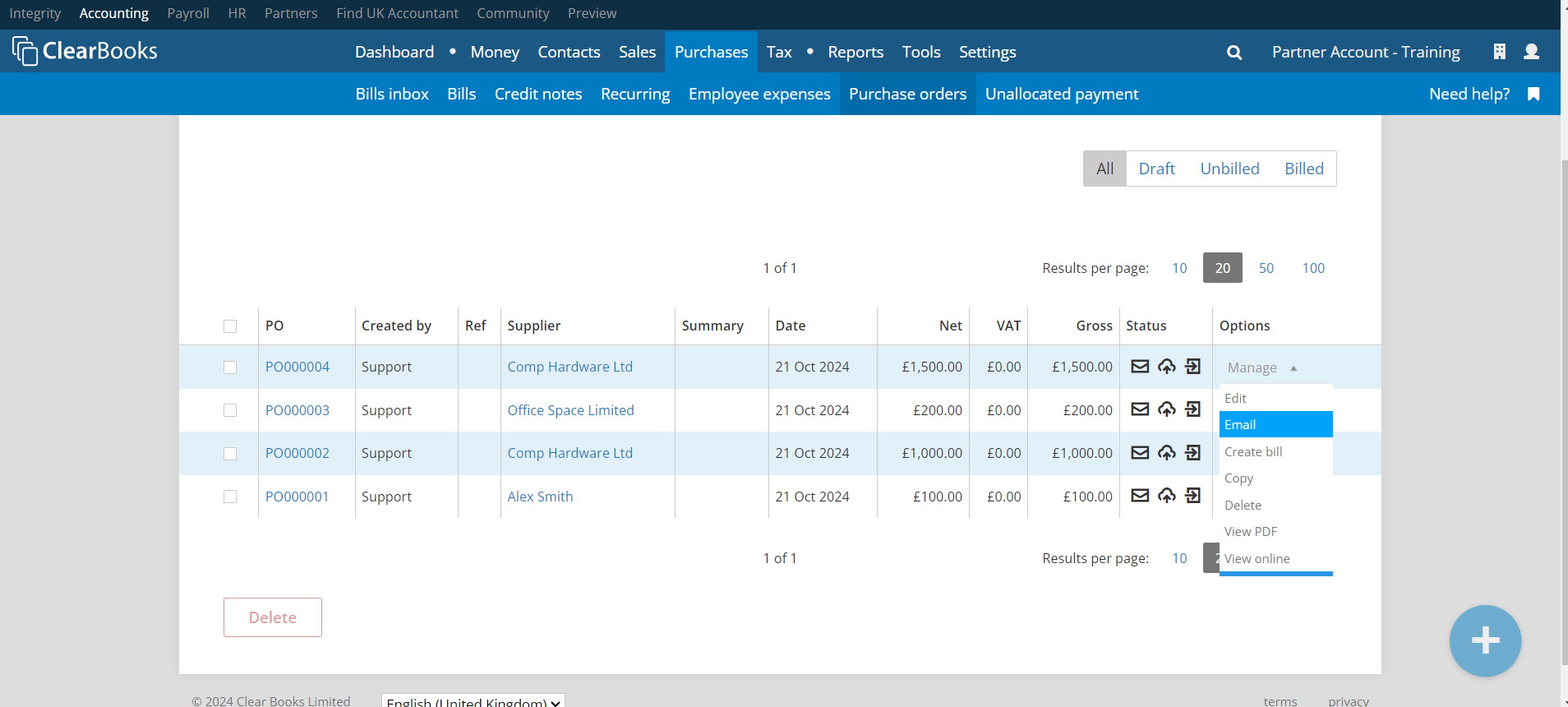
Purchase orders guide To email a purchase order, go to the ‘All’ tab to view all purchase orders.
Then, either click the ‘Manage’ drop-down beside the desired purchase order and select ‘Email’, or click the email icon in the ‘Status’ column.
Note: If the purchase order approvals feature is enabled and the purchase order has not been approved, will not be possible to email it.
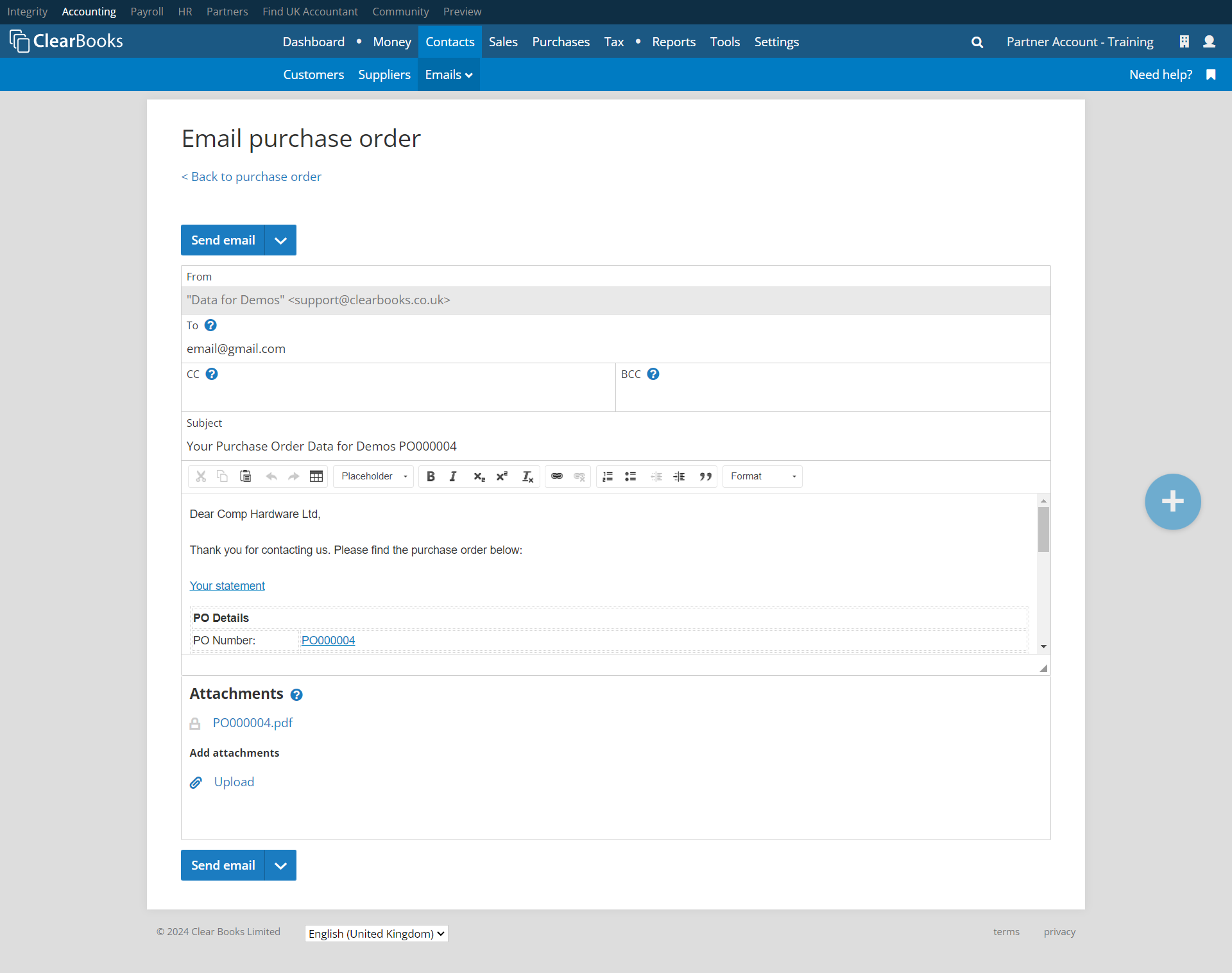
Edit the email form as needed, then click the 'Send email' button.
Was this article helpful?
That’s Great!
Thank you for your feedback
Sorry! We couldn't be helpful
Thank you for your feedback
Feedback sent
We appreciate your effort and will try to fix the article